Making it yours · 4 of 6
Working without internet
Offline mode makes Shellden call nothing on the internet, and an offline license keeps Pro on a computer that never goes online.
Offline mode
Settings → General → Offline mode. An Offline pill in the header lists what is paused and offers Turn off offline mode.
Paused: updates, license refresh and sign-in, cloud accounts and Remote AI. Sync waits and sends the changes once the mode is off.
Working: terminals and SSH, remote files, saved hosts, forwards, databases on the local network and Local AI.
Reachable: loopback, private and link-local addresses,
localhost, *.local, saved hosts and their jump hosts. Anything else is refused before a packet leaves. The mode does not sync.The one exception: while an offline license is in use, Shellden asks the license server's health address whether the computer is online — at launch and every 30 minutes, offline mode or not. The request carries no license, computer id or account. Without an offline license it is never made. An air-gapped computer simply never reaches it.
The offline license
A Pro computer that stays offline falls back to Free after 14 days. An offline license keeps it Pro for up to 3 months (never past the paid period), renewed from the account area.
It needs an active subscription and names one computer.
1
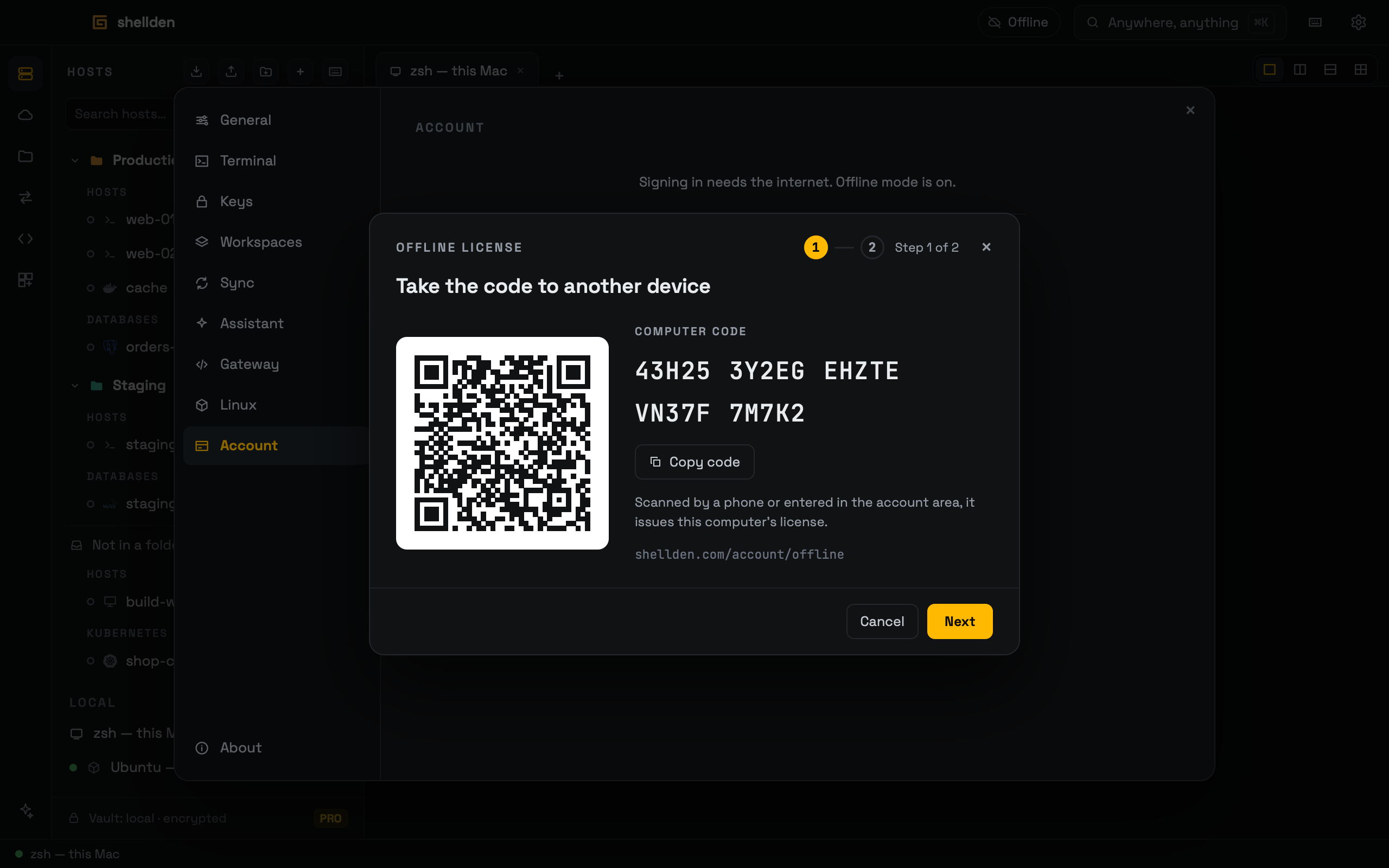
On that computer, Settings → Account → Use an offline license (the line under the sign-in, "No internet on this computer?") opens a two-step dialog. Signed in, the same line sits under Devices. Step 1 shows the Computer code (5 groups), a QR code and Copy code.
2
A phone's camera opens the QR on the account area's Add an offline computer, code filled in (or type it at shellden.com/account/offline). Add and issue the license takes one of the 3 places. Remove in Devices frees it.
3
The license comes as 26 groups of five, to copy or type, and as a
.license file.4
Back on the computer: Next → Paste or type the license → Load license, or Open file…. Back shows the code again. Cancel, × or Escape close the dialog.
No 0, O, 1, I or L. Spaces, dashes and case do not matter. A typo or a swap is caught before anything else. One mistyped character is named by its group, as typed: "Group 14 · FHK9P has a mistyped character." Two or more read "A character does not match the license."
A license for another computer or an ended period is refused, with the reason under the field.
Loaded, Account shows one card: Offline license · Pro until the license's last day, retired as soon as the computer is online. Replace… opens the dialog at the license step. Remove asks once, then takes the license off this computer: it is Free again (or the account's plan when signed in). The computer keeps its place among the account's 3 until Remove in the account area's Devices. A license retired here stays refused after Remove.
A license is valid up to 3 months. Before its last day, the account area issues a new one for the same computer, any time while the subscription is paid.
A full refund or a chargeback of the period ends Pro and the subscription at once, so nothing renews. No license is issued for it, and a new purchase brings Pro back.
The offline license is for computers without internet. Once the computer is seen online, the license is retired on it for good — unplugging later does not bring Pro back — the card reads Offline license · retired, and a notice offers Sign in: Pro then comes from the account, which reflects a refund or an ended plan. A license newly issued from the account area loads again.
Pro never outlasts the clock: setting the date back does not extend the 14 days or the paid period. A Pro license token belongs to the computer that signed in. Copied to another one it is Free there, and that computer signs in on its own.