SHELLDEN GATEWAY · MCP
The editor’s agent reaches every server. Never a key.
The editor connects to Shellden Gateway once. From then on its agent works on every saved server, database, cluster and cloud machine through it.
- Claude Code
- Codex
- VS Code
- Cursor
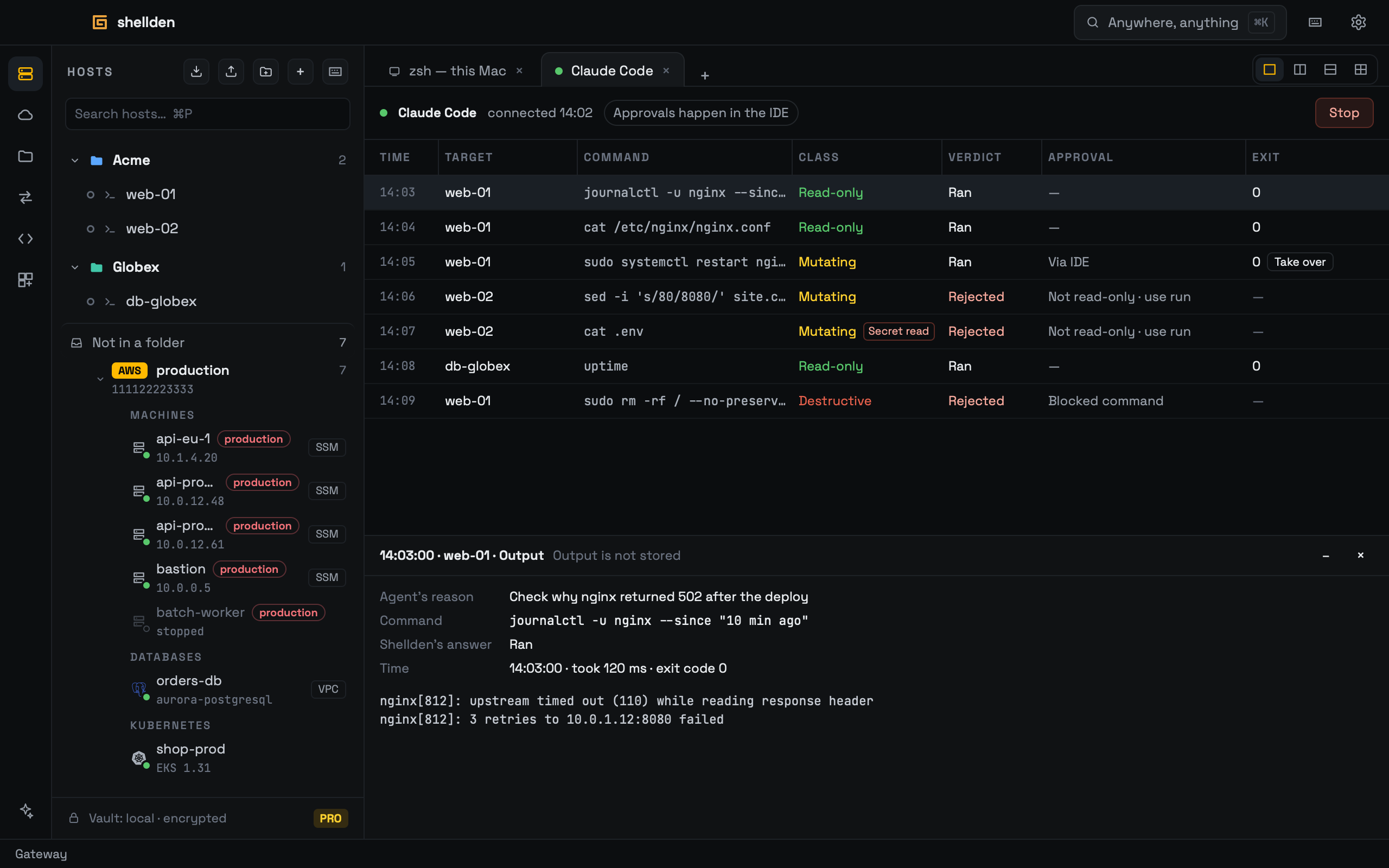
Every request passes Shellden first.
- 1 · The agent asksA command, a query or a kubectl call, for a saved target.
- 2 · Shellden classifiesRead-only, changing or destructive, then the user’s rules for that target.
- 3 · Runs, waits or stopsApproval happens in the editor, and a denied command never reaches the server.
REACH
How far the agent reaches.
Every saved target and every cloud resource found, under the same rules.
Hosts and files
- SSH
- SFTP
- Droplets
- Vultr
Databases
- PostgreSQL
- MySQL
- MongoDB
- SQL Server
- RDS and Aurora
- Azure Database
- Cloud SQL
Kubernetes
- kubeconfig
- EKS
- AKS
- GKE
Cloud machines
- EC2
- Azure VMs
- Compute Engine
Remote desktops, serial, Telnet and Docker are used from Shellden Desktop.
Free looks. Pro acts.
Free
The agent looks.
Lists every target and runs read-only commands and queries.
Pro
The agent acts.
Restarts, deploys, writes and power too, each one approved and held to the rules.
SAFE BY DESIGN
The keys stay in Shellden.
- No key in the editorThe agent gets output, never a password, key or token.
- Every request on recordA session tab lists each one, and Take over ends the agent’s turn.
- Waits while Shellden is lockedRequests wait for the unlock, then run or are refused.
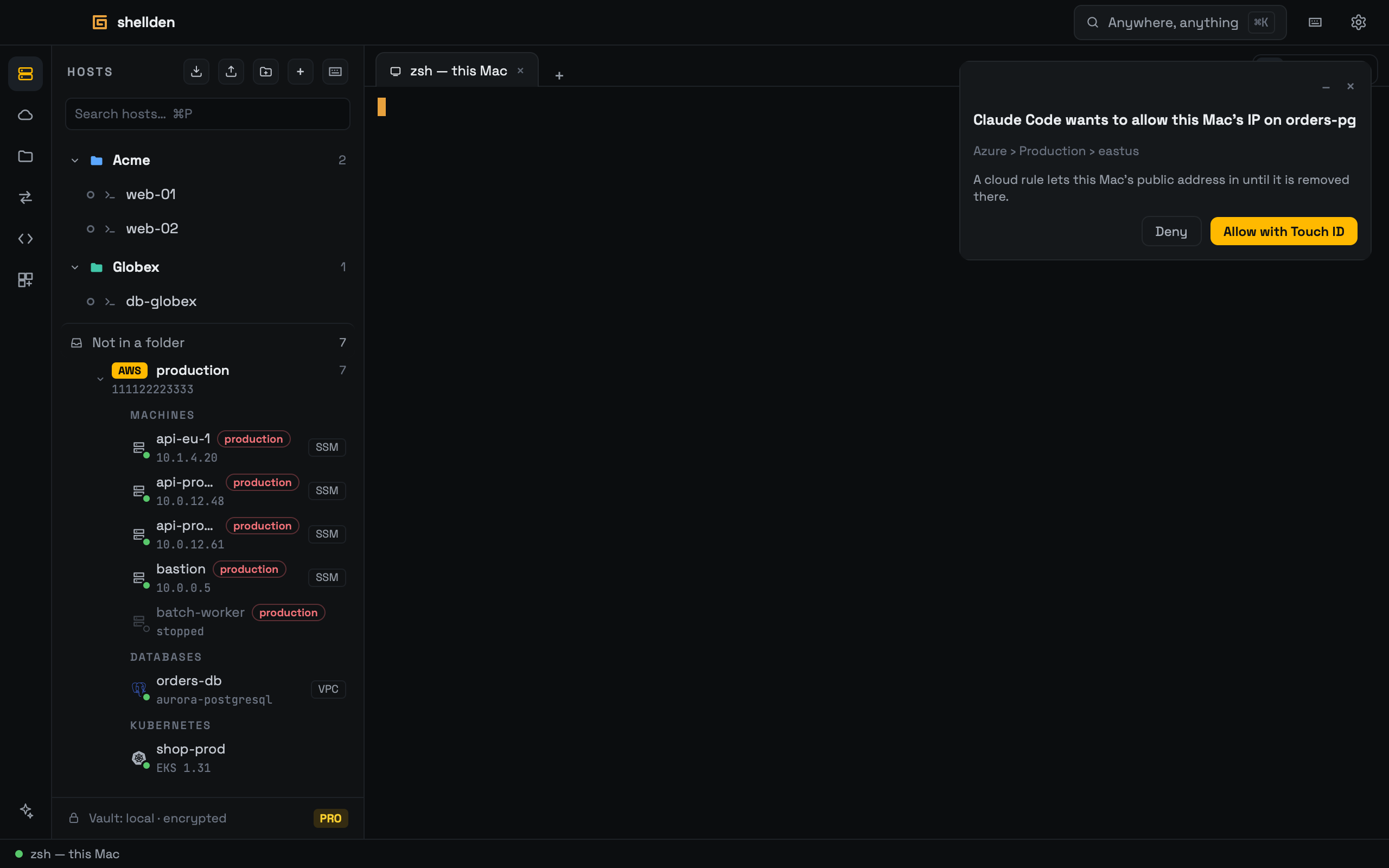
- Cloud firewalls handledWhen a cloud refuses this computer, the agent asks and Touch ID allows it.
The den opens soon.
One email when downloads open.
macOS · Windows · Linux