INTERNAL BETAShellden is in internal beta: not public yet. Downloads and new accounts open soon.
Working · 5 of 9
Client folders
A folder in HOSTS is a client: its hosts, its subfolders and, on Pro, the cloud accounts, projects and subscriptions linked to it, listed live. Saved hosts have no limit on any plan.
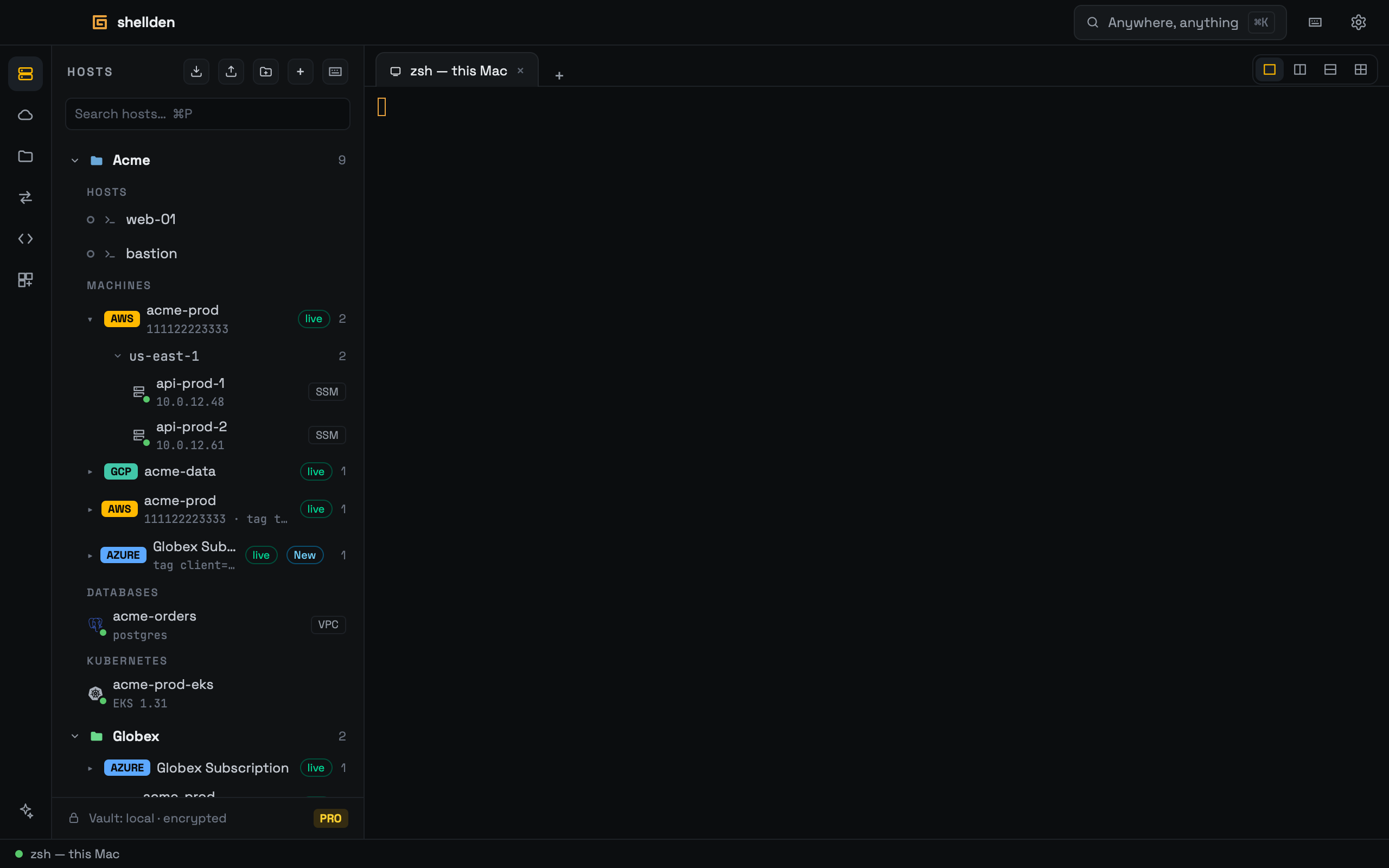
A client folder: its hosts, its linked cloud live, its clusters and databases. Not in a folder at the end.
Inside a folder
—
Sections Hosts, then the Cloud panel's kinds in its order: Machines, Databases, Kubernetes, ECS. Empty ones hide. The number beside a folder counts everything inside it.
—
Machines has a row per link (account, project or subscription, and what it selects, such as tag client=acme). Live means it is being listed now. VMs open, start and stop as in the Cloud panel.
—
New marks a resource that arrived through a tag or resource-group link and has not been seen yet. Until then the folder's allow rules wait for it.
—
A host's right click → Move to folder lists every folder (or Not in a folder). Dragging does the same.
Not in a folder
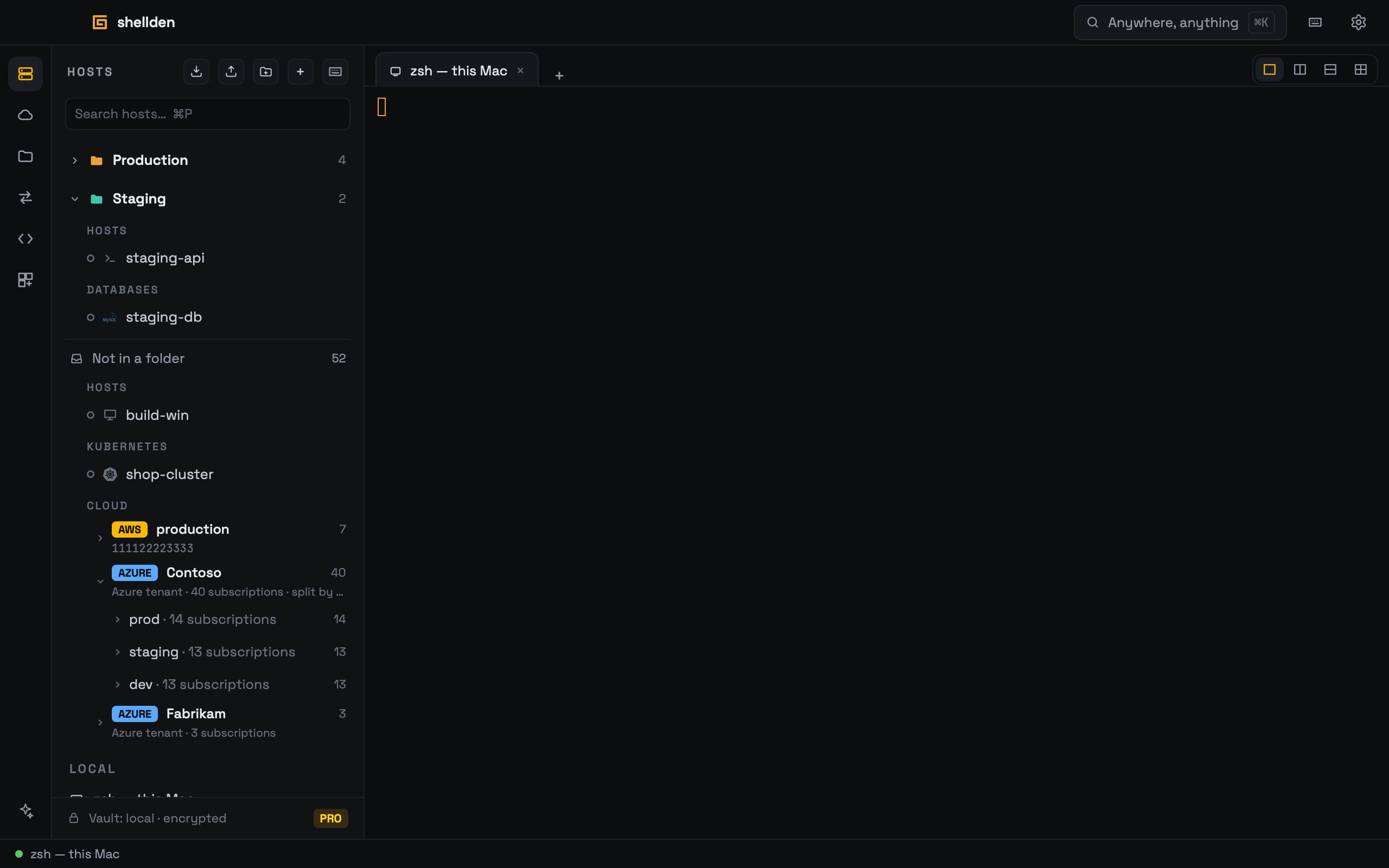
Not in a folder, after the folders, holds the hosts without a folder and, on Pro, everything the signed-in accounts reach that no folder owns, in each cloud's own structure. Shellden never creates a folder or moves anything into one by itself.
Not in a folder: an Azure tenant of 40 subscriptions split by name.
—
Past 25 items, directories and tenants start closed. One with more than 25 accounts is split by name (prod, staging, dev, client names, letter ranges, Other).
—
One row per account even when several sign-ins reach it. Its right click → Open with picks which sign-in opens it.
—
The search above HOSTS finds cloud resources too (name, ID, address, tag, engine).
—
Attention, on top of HOSTS, lists every sign-in that ended. Renew fixes it, × hides it.
—
With no tab open, the main area shows Everything: a tile per top-level folder.
Subfolders
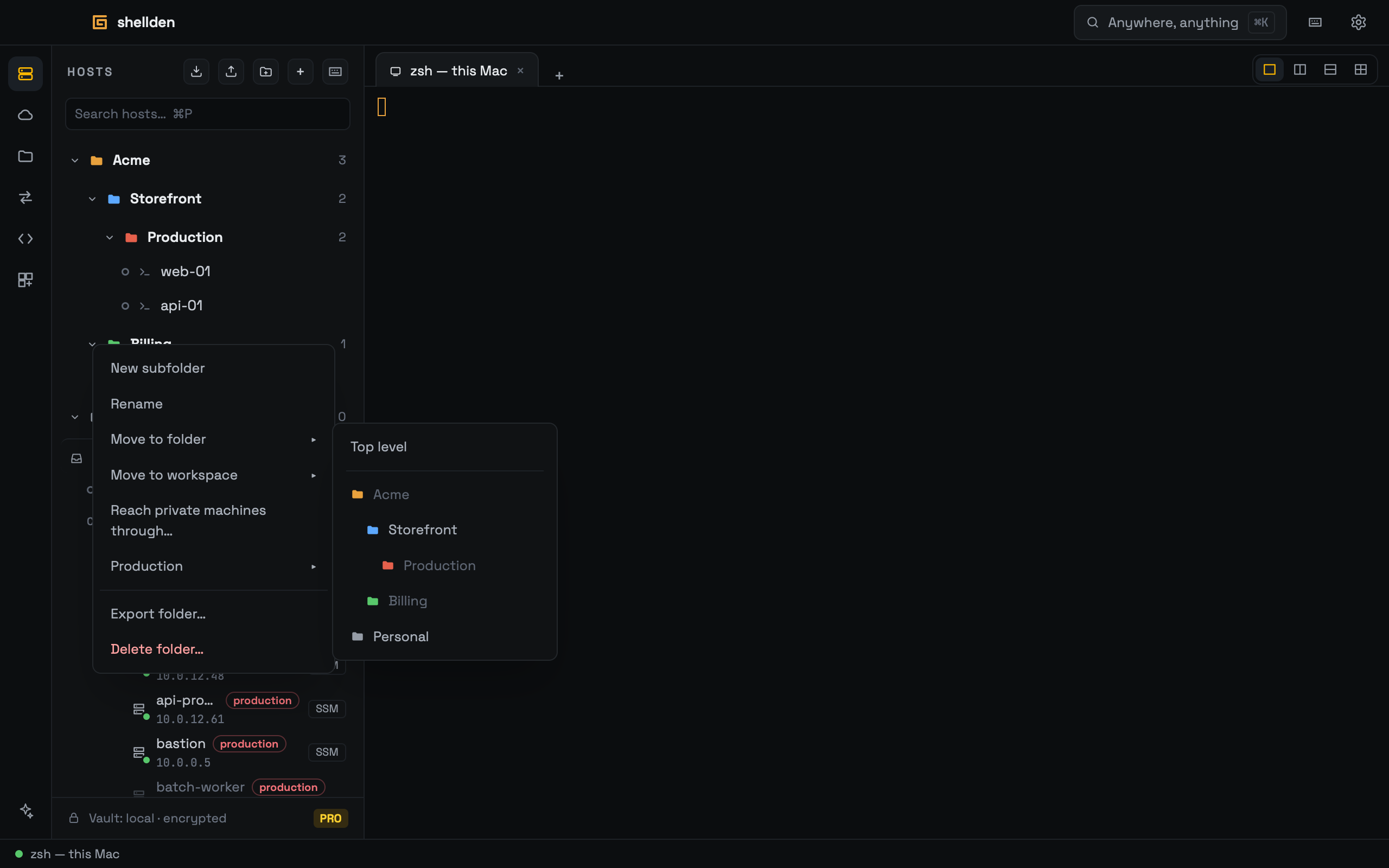
Folders nest three levels (a client, its apps, their environments). A folder's right click offers New subfolder, Rename (name and one of twelve colors), Move to folder (or Top level), Delete folder… (Move its contents to the folder above, or Move its contents out of any folder) and Export folder…. A folder's rules in permissions.json reach everything inside it.
Subfolders and a folder's right click: Move to folder greys what would make four levels.
Linking cloud to a folder
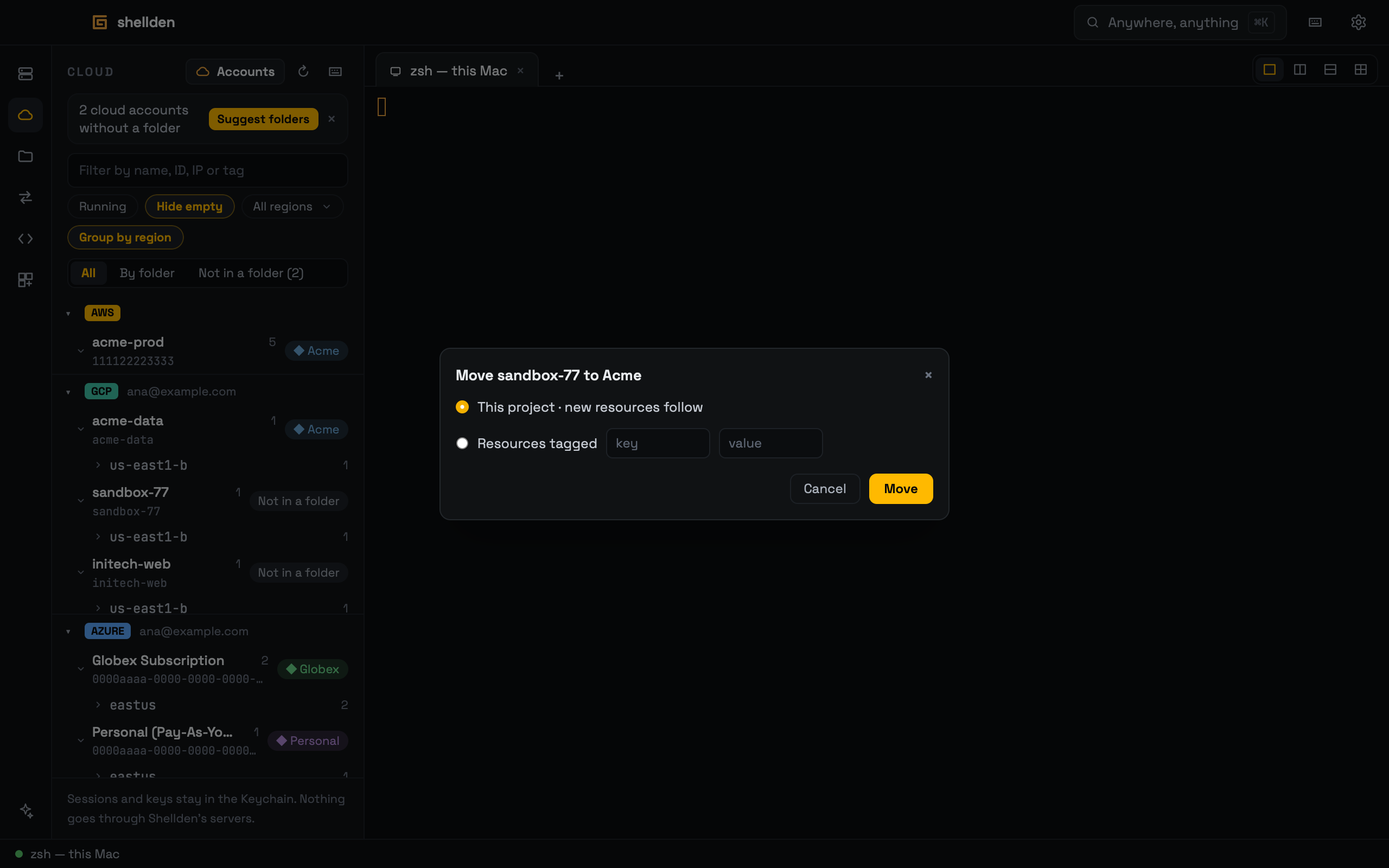
Move to folder: what to link, and into which folder.
—
In the Cloud panel, right-click an account, project, subscription, VM, database or cluster → Move to folder, or drag the row onto a folder.
—
New folder… in that menu names a new one. The dialog asks what to link: This account · new resources follow (This project, This subscription), Only this VM, Resources tagged key = value, or on Azure Resource group.
—
The most specific link wins: one resource, then a tag or group, then the account. A tie shows Also matches. Resolve picks.
—
Remove from folder undoes it. An account shared by clients is split by tag.
—
In the Cloud panel each account carries its folder's chip. All · By folder · Not in a folder switches the view, and Suggest folders proposes folders from the cloud's names (Create or Link).
—
Links sync, tokens never do: on another computer an unreachable link reads Sign in on this computer. Linking is Pro. On Free the links stay, dimmed.