Assistant · 1 of 2
Asking the assistant
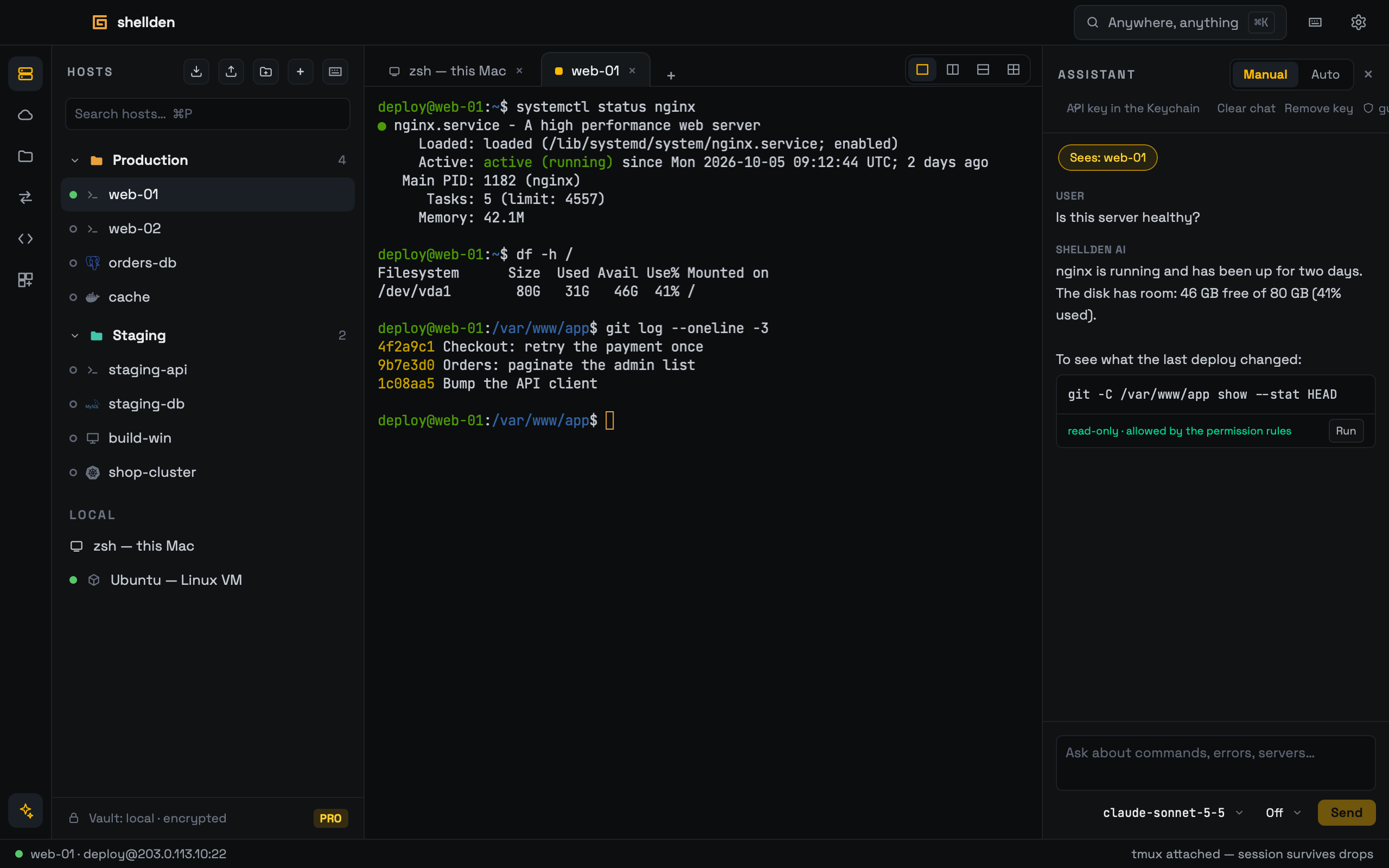
The assistant reads the active session, explains, and proposes commands — and runs them only as far as its mode and the permission rules allow.
Providers
Anthropic, OpenAI, Ollama, or any OpenAI-compatible local server (LM Studio, llama.cpp, RapidMLX), set in Settings → Assistant. API keys live only in the Keychain and go straight to the provider; nothing passes through Shellden's servers.
It answers in the language the question is written in. The assistant is part of Pro; on Free the panel explains so.
What it sees and remembers
The conversation. Each question goes to the provider together with the panel's earlier messages (the latest 40), so a follow-up such as "and on web-02?" makes sense to it. The provider itself keeps no memory between questions: Shellden sends the conversation every time.
The session. The chips at the top say what each question carries. Sees: web-01 (lit) sends the last 40 lines of the focused pane. In a tab with several panes, All N panes sends the last 25 lines of each, under its name — "which replica got the request?" across a grid of pods. Clicking the lit chip sends less: all panes → the focused one → nothing.
Clear chat starts a new conversation. Conversations are not saved: quitting Shellden ends them.
Modes
Manual: nothing runs by itself; Run sends a command to the active terminal (or a new local tab).
Auto: read-only commands, and commands the rules allow, run by themselves and their output returns to the assistant, which can keep investigating. In an SSH tab they run on that server over a separate channel of the same connection (the tab's shell is never typed into); each command and its output show in the chat. Elsewhere they run on this Mac in the "assistant" terminal tab, where every step can be watched (Settings → Assistant → Investigate in a terminal tab).
Destructive commands always wait for a click unless a rule allows them.
Always allow… beside Run writes a rule: the first click shows the exact rule and where it applies, the second saves it.