Working · 3 of 6
Databases
PostgreSQL, MySQL, MongoDB and SQL Server open in a console with the schema, an editor and the results — and safe mode always on.
Adding a database
+ → Database: engine, host, port, database, user and password (kept in the Keychain). Pasting a
postgres://user:pass@host:5432/db, mysql://… or mongodb://… URL fills the form (mongodb+srv:// is not supported: connections are direct). MongoDB users authenticate against the admin database.TLS per host: Prefer (default for PostgreSQL and MySQL: TLS when the server offers it), Require (always encrypted, certificate not checked — what managed databases with private CAs need), Verify certificate (trusted by the system and matching the host) or Off (default for MongoDB). A URL's
sslmode, ssl-mode or tls=true sets it on paste.Tunnel through SSH host reaches a database visible only from a saved server. Test connection shows the version and latency.
The console
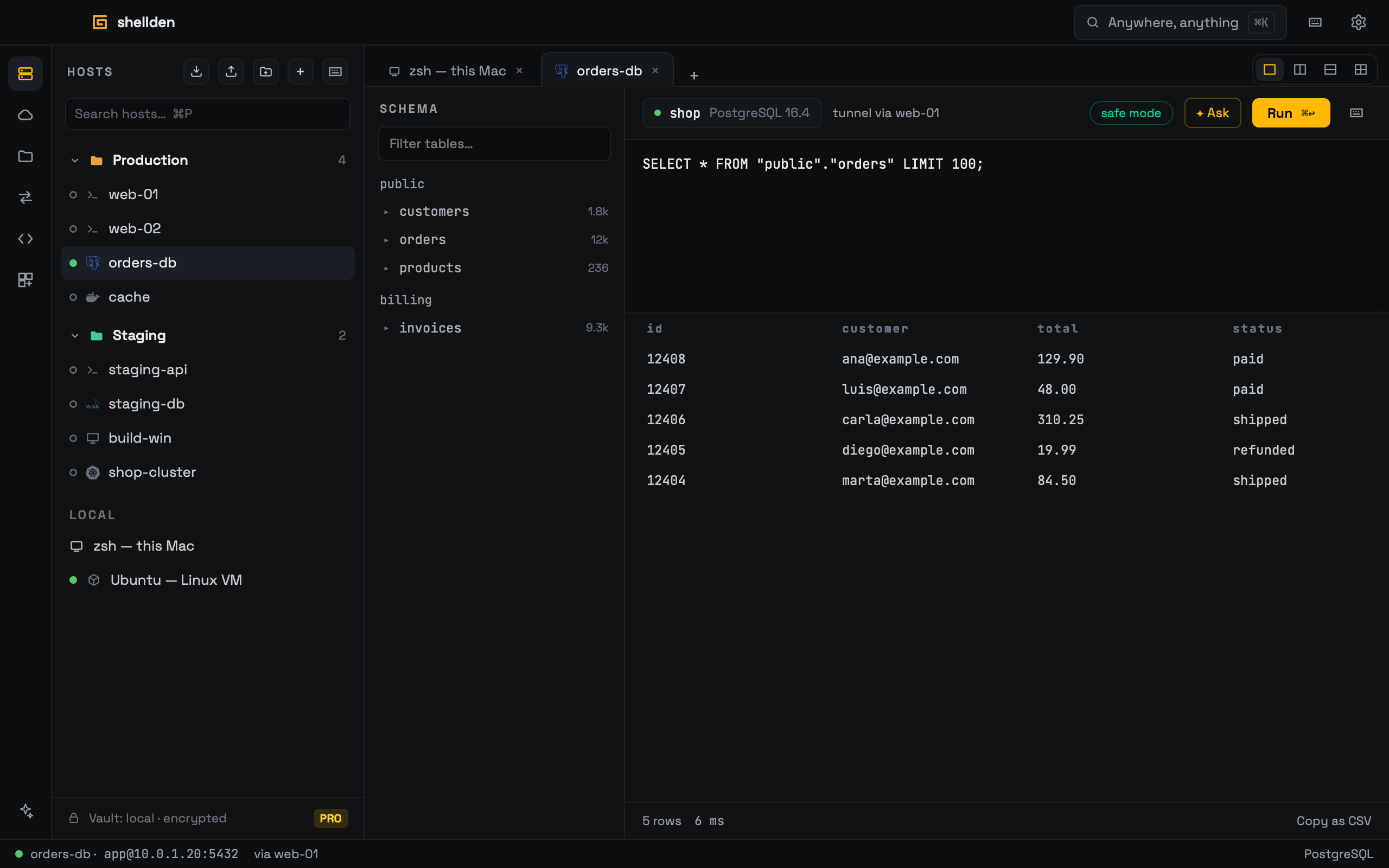
The schema tree on the left: expanding a table lists its columns, a click previews 100 rows.
The editor runs with ⌘↵; results show below (first 1,000 rows; Copy as CSV). Ask sends the query and any error to the assistant.
Safe mode is always on: reads run at once in a read-only session; INSERT, UPDATE, DELETE, DROP and similar stop at a banner and run only after Run anyway.
MongoDB
The console speaks a mongosh subset, never arbitrary JavaScript: db.<collection>. (or db.getCollection('name').) followed by find / findOne (with .sort / .skip / .limit), aggregate, countDocuments, distinct, insertOne / insertMany, updateOne / updateMany, replaceOne, deleteOne / deleteMany or drop; plus db.runCommand({...}) and show collections. Arguments are relaxed JSON (unquoted keys, single quotes). Documents show as rows, one column per top-level field. Writes, $out / $merge pipelines and non-read commands ask first; deleteMany or updateMany with an empty filter, and drop, count as destructive.
SQL Server
SQL Server, Azure SQL and RDS for SQL Server, on port 1433. Pasting the connection string Azure's portal hands out — ADO.NET (
Server=tcp:…,1433;Initial Catalog=…), JDBC (jdbc:sqlserver://…) or sqlserver://user@host/db — fills the form; its Encrypt and TrustServerCertificate set the TLS mode. Azure SQL's gateway redirect is followed on its own.T-SQL needs no
; between statements, so in SQL Server any write word anywhere in the script (INSERT, UPDATE, DELETE, EXEC, CREATE, DROP…) makes it ask first; reads run inside a transaction that is always rolled back, so nothing a read did stays. A table click runs SELECT TOP 100 * FROM [schema].[table].