Getting started · 1 of 2
Welcome
Shellden keeps every server in one window — SSH terminals, remote files, remote desktops, databases, containers and cloud VMs — with an assistant that reads the session. It works offline. Nothing goes through Shellden's servers.
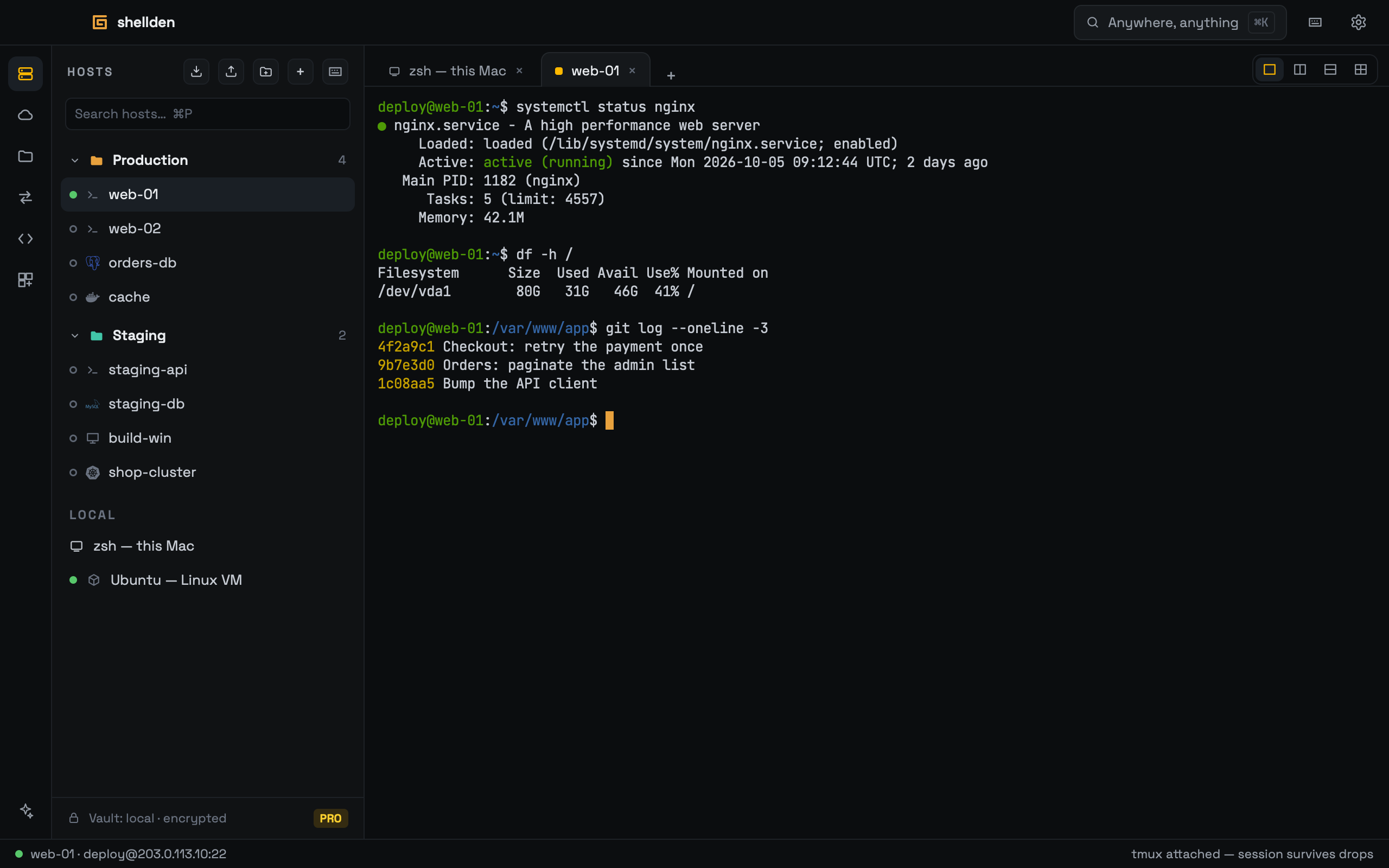
What is where
Left rail, top to bottom: Hosts, Cloud VMs, Remote files (SFTP), Port forwards and Snippets. The Assistant (sparkle) sits at the bottom and opens on the right.
Title bar: the "Anywhere, anything" pill opens the command palette (⌘K), which runs any action and finds any saved host by name. The gear opens Settings.
Tabs run along the top. The status bar shows the active connection and, for SSH, its live latency.
The main actions are also in the macOS menu bar.
The first launch
One screen names Shellden's two products — the app, and Shellden Gateway (MCP), which lets an editor's AI agent reach every machine (see Gateway) — and offers Create account, Sign in or Continue without an account. No account is needed: Free works offline with unlimited hosts. Create account and Sign in send a code to the email, as Settings → Account does. While new accounts are closed the button reads Accounts open soon. The screen shows once. ×, Escape and Continue without an account go straight to the app.