Getting started · 1 of 2
Welcome
Shellden keeps every server in one window: SSH terminals, remote files, remote desktops, databases, containers and cloud VMs, with an assistant that can read the session and help. It works offline; nothing goes through Shellden's servers.
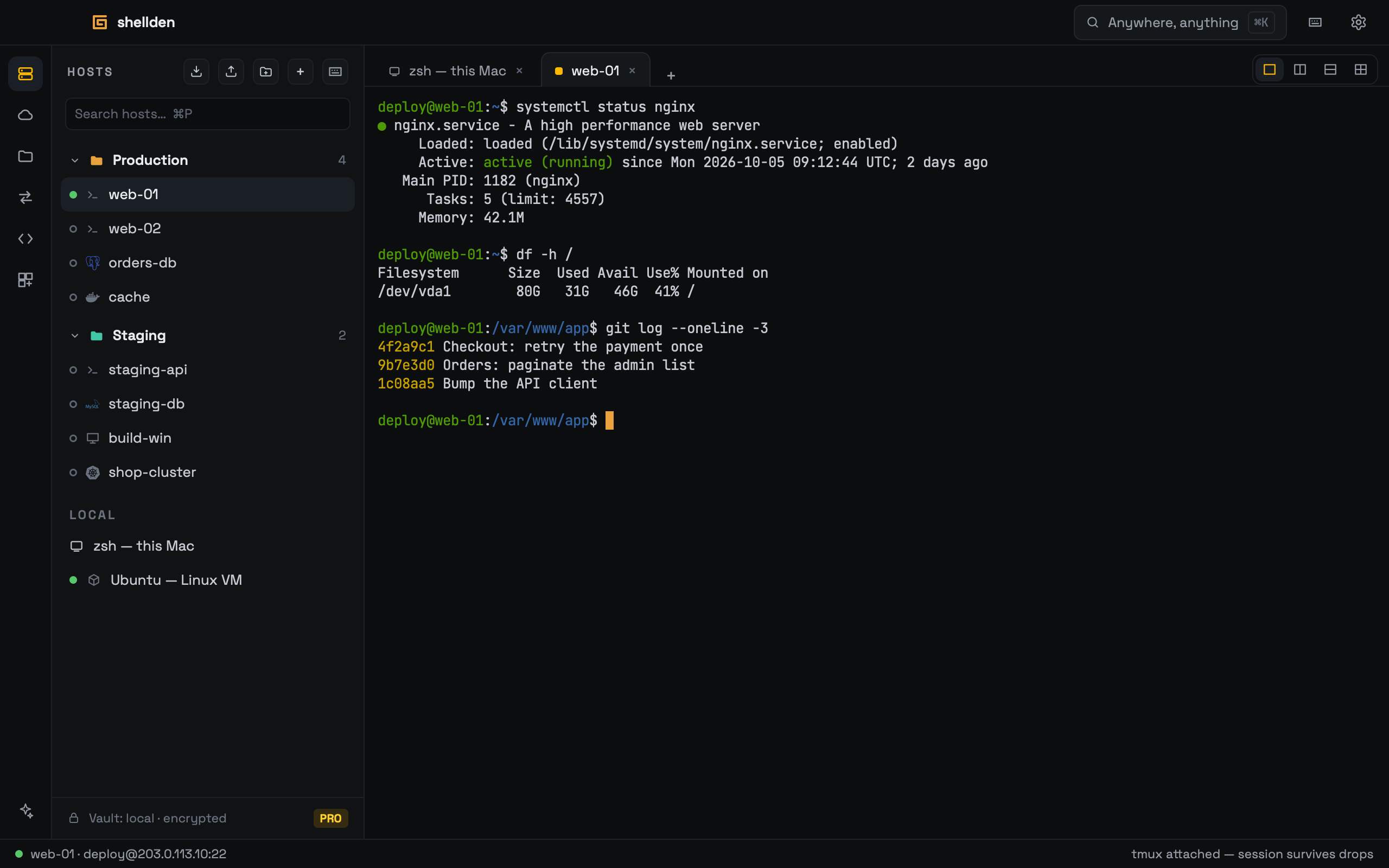
What is where
Left rail, top to bottom: Hosts, Cloud VMs, Remote files (SFTP), Port forwards and Snippets. The Assistant (sparkle) sits at the bottom of the rail and opens on the right; it can always be closed.
Titlebar: the "Anywhere, anything" pill opens the command palette (⌘K); the gear opens Settings.
Tabs run along the top; the status bar at the bottom shows the active connection and, for SSH, its live round-trip latency.
Tip. The main actions are also in ⌘K and in the macOS menu bar; ⌘K finds any saved host by name.