Working · 5 of 6
The local Linux VM
A local Ubuntu with the DevOps toolbox, one click away, for the tools that are easier on Linux.
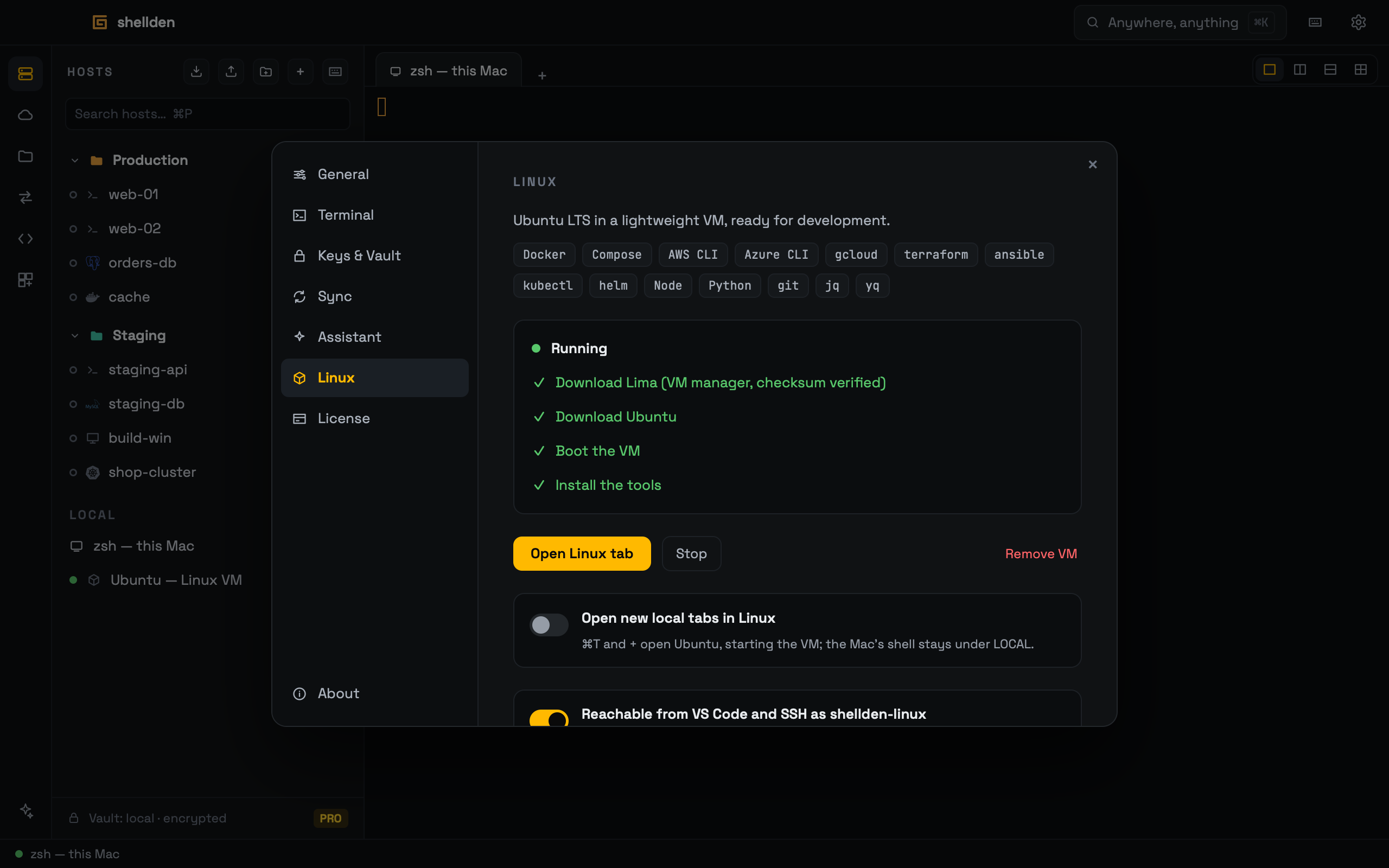
Setting it up
Settings → Linux → Set up Linux installs an Ubuntu LTS VM (Lima on Apple's Virtualization framework) with Docker and Compose (no sudo), the AWS, Azure and Google Cloud CLIs, terraform, ansible, kubectl, helm, node, python, git, jq and yq. Progress shows each step. About 2.5 GB is downloaded once; the VM uses 2 CPUs and 2 GB of memory while running. Tools added in a new Shellden version install on the VM's next start.
Using it
It shows under LOCAL in the hosts list ("Ubuntu — Linux VM"): a click opens a Linux tab, starting the VM first if it is stopped. Settings → Linux also has Open Linux tab (and ⌘K → "New Linux tab"), Stop and Remove VM (a second click confirms; it deletes the disk).
Open new local tabs in Linux: the tab at launch, ⌘T, the + button and ⌘K "New local tab" open Ubuntu instead of the Mac's shell; the Mac's shell stays under LOCAL.
Reachable from VS Code and SSH as shellden-linux (on by default): VS Code Remote-SSH,
ssh shellden-linux, scp and rsync work. It adds one Include line to ~/.ssh/config.The Mac's home folder is visible inside the VM, read-only. Remove VM followed by Set up Linux rebuilds it from scratch (faster the second time: the Ubuntu image stays cached).