Making it yours · 3 of 5
The same setup on every computer
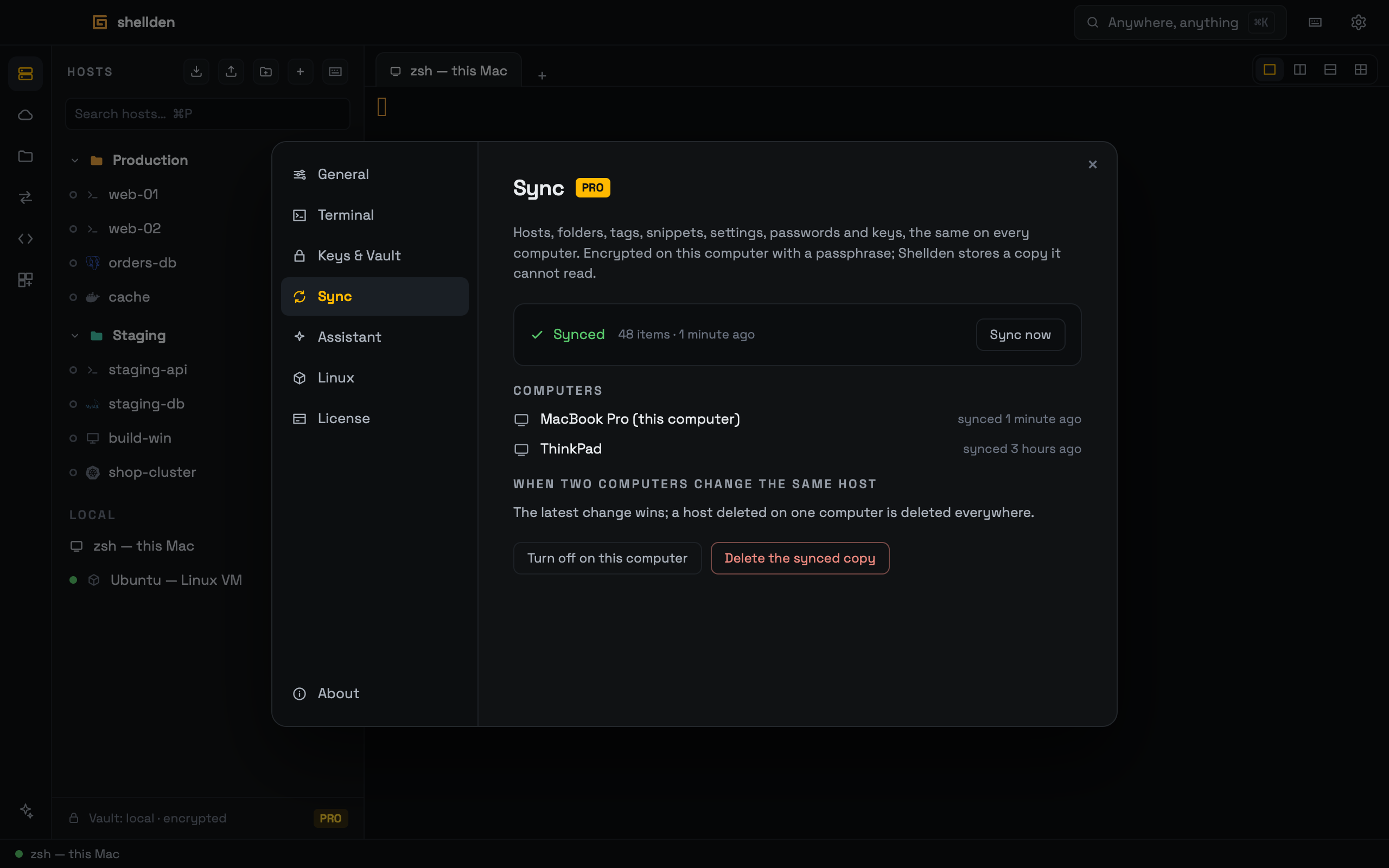
With Pro, sync keeps hosts, folders, tags, snippets, portable settings, passwords, private keys and assistant keys the same on every computer signed in to the account (up to three). Everything is encrypted on the computer with a passphrase before it leaves; Shellden stores a copy it cannot read.
Turning it on
Settings → Sync on the first computer: a Sync passphrase of 4 words or 12+ characters, typed twice, then Turn on sync.
On another computer the card shows the existing copy and asks for The passphrase set on that computer; Join sync adds what is only on this computer to the copy — nothing here is deleted. When the same password differs, the copy's value wins on that first join.
Each computer keeps the passphrase in its system keychain and syncs at launch, every few minutes and with Sync now.
A lost passphrase cannot be recovered, not by Shellden either. The data on each computer stays; only the synced copy becomes unreadable.
What travels and what stays
The latest change wins; a host deleted on one computer is deleted everywhere, together with its stored passwords.
Stays on each computer: a serial host's port (
/dev/cu.* on macOS, COM3 on Windows — picked again on the other computer), an RDP host's shared folder, keyboard shortcuts, window and panel sizes, and the local shell.Docker hosts on the local daemon and Kubernetes contexts travel as they are and connect where the same daemon or context exists.
Turning it off
Turn off on this computer stops syncing here and forgets the passphrase; the data on this computer and the copy stay.
Delete the synced copy (asked once more) removes every stored version for all computers; each keeps its own data.