Gateway
Shellden Gateway (MCP) lets an editor's AI agent — Claude Code, VS Code (Copilot), Cursor or Codex — reach every saved host, database and cluster, and every VM, database and cluster of the signed-in clouds, through Shellden, with no keys, passwords or jump hosts on the editor's side. The editor approves each request. Shellden keeps a last barrier against catastrophic commands. No API key is needed.
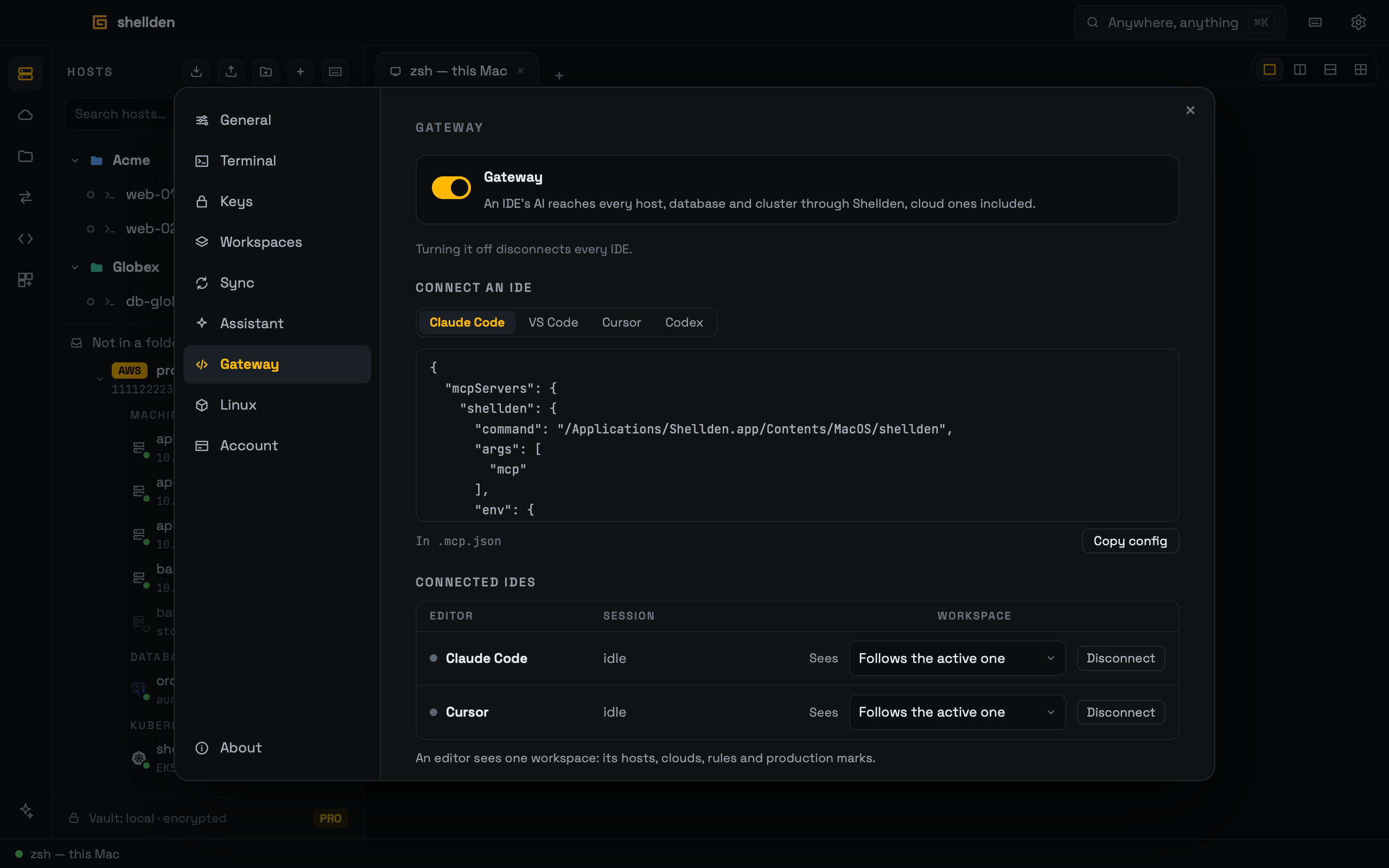
Turning it on
Settings → Gateway is off until its switch is turned on. The notice says the IDE's AI reaches every host, database and cluster, the IDE approves each request, and passwords and keys never reach the IDE. Its button works once Approving requests is left to the IDE and its AI is checked. Turning the switch off disconnects every IDE. On Free the section shows Free: the agent reads with See Pro.
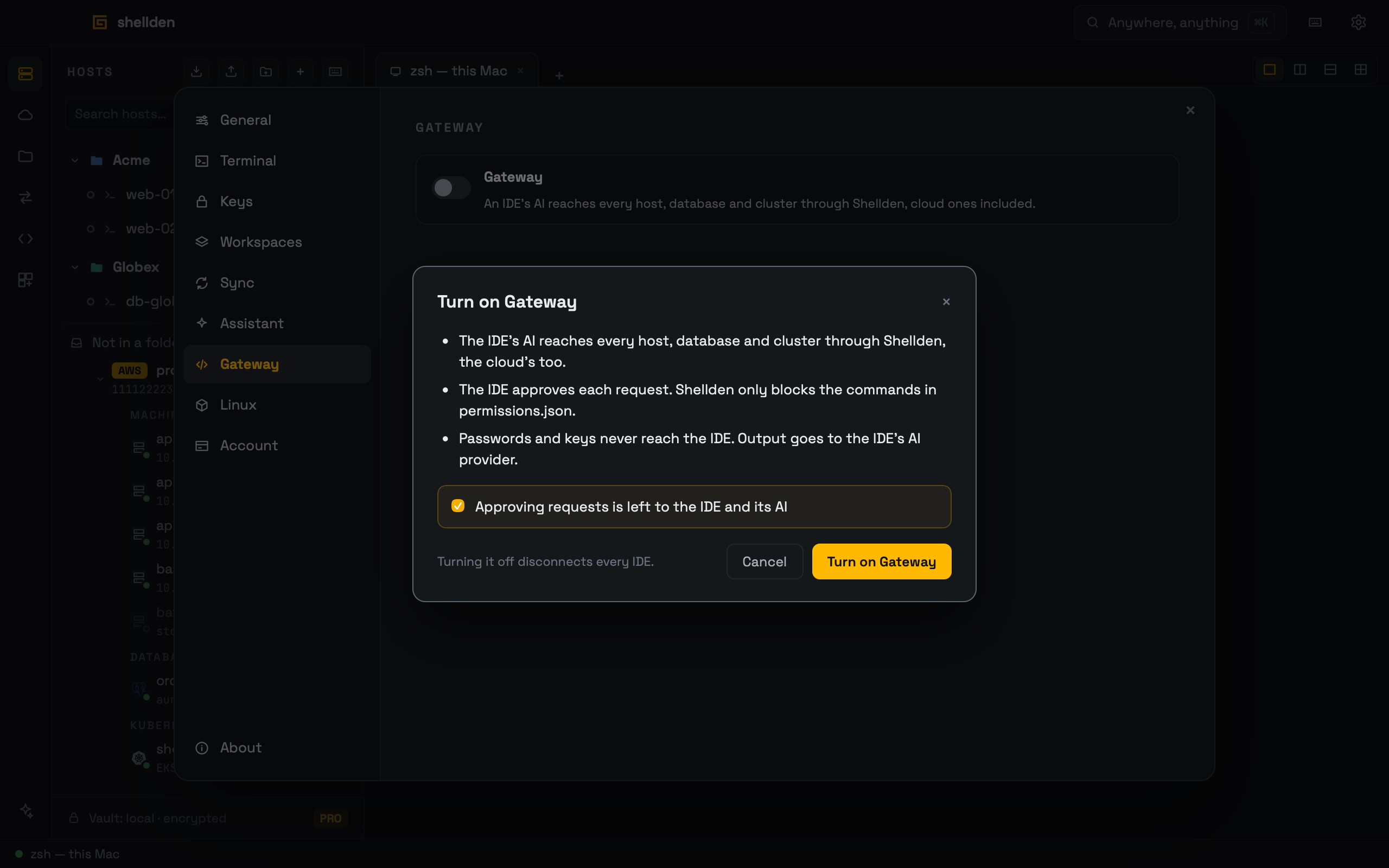
Connecting an IDE
shellden server block. The line below names its file (.mcp.json, .vscode/mcp.json, .cursor/mcp.json or ~/.codex/config.toml). Shellden never writes the editor's files.The block carries a pairing key (SHELLDEN_PAIRING) that only that IDE's block has: a program that just calls itself "VS Code" without it gets the pairing card again. Keep the block private (out of a shared repository). An IDE paired before the key existed asks once more, and its card says Settings → Gateway has a new block for it: copy its block again and approve the card.
Acme › Production), tags and production: true when marked. The agent is told to ask which client is meant and never to assume production.targets, run_readonly, run, run_destructive, read_file, write_file, sql_query, sql_execute, sql_describe, sql_explain, kubectl_get, kubectl, power_start, power_stop, allow_my_ip.sql_describe reads a database's catalog. sql_explain returns a plan (with analyze, reads only).The cloud through Gateway
Every VM, database and cluster the Cloud panel reaches is a target, in the client folder its links place it in. Ids say where it is (aws:vm:<account>:<region>:<instance>, azure:vm:…, gcp:vm:…). targets takes a query.
power_start and power_stop start, stop or restart a VM or database. Clusters and Azure SQL have none.allow_my_ip does what Allow this Mac's IP does, after the card below.Approvals in Shellden
Two requests also ask in Shellden itself, on a card over every window that does not take focus from the editor:
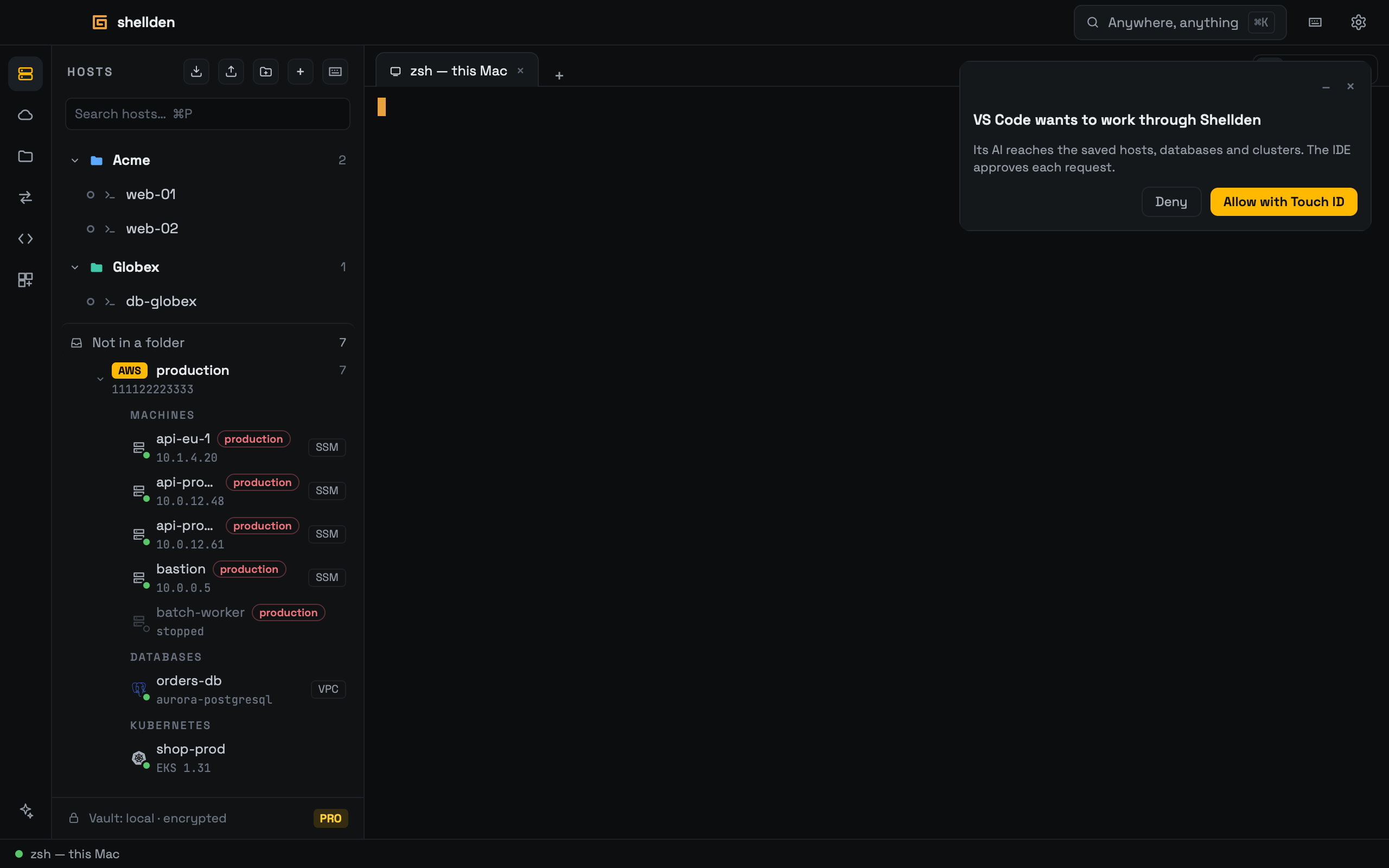
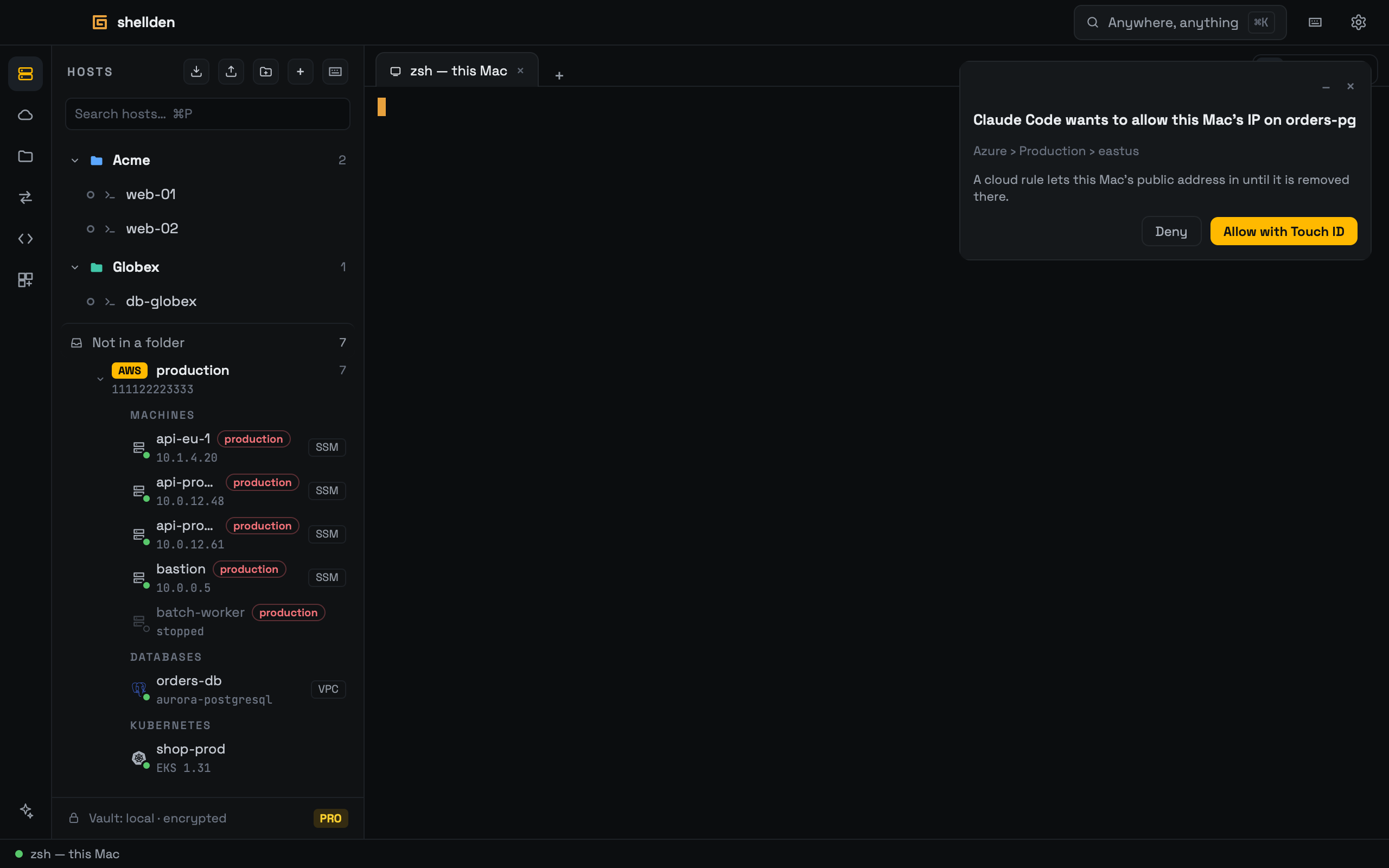
Settings → Gateway → Pairing names the check this Mac uses (Touch ID ✓). Connected IDEs lists each paired IDE. Disconnect ends its sessions and pairing.
What Shellden still blocks
mcp.baseDeny in permissions.json): rm -rf /, rm -rf of /usr, /boot, /var or /home, mkfs* and dd * of=/dev/* are refused for every IDE. Open permissions.json edits them. Adding a rule applies at once. Removing one or turning them off waits for Apply (after the system check) or Keep on, so an agent cannot open the door by editing the file.run_readonly is refused with the right tool to use. No tool returns a password or key.The session tab
Each IDE session opens a tab, named after the IDE, without taking focus: Stop ends the connection, and each request shows Time, Target, Command, Class (Read-only, Mutating, Destructive, Secret read), Verdict, Approval and Exit. The verdict reads Ran, Rejected or Failed. Approval reads Via IDE or why Shellden refused. Take over opens that target's own tab.
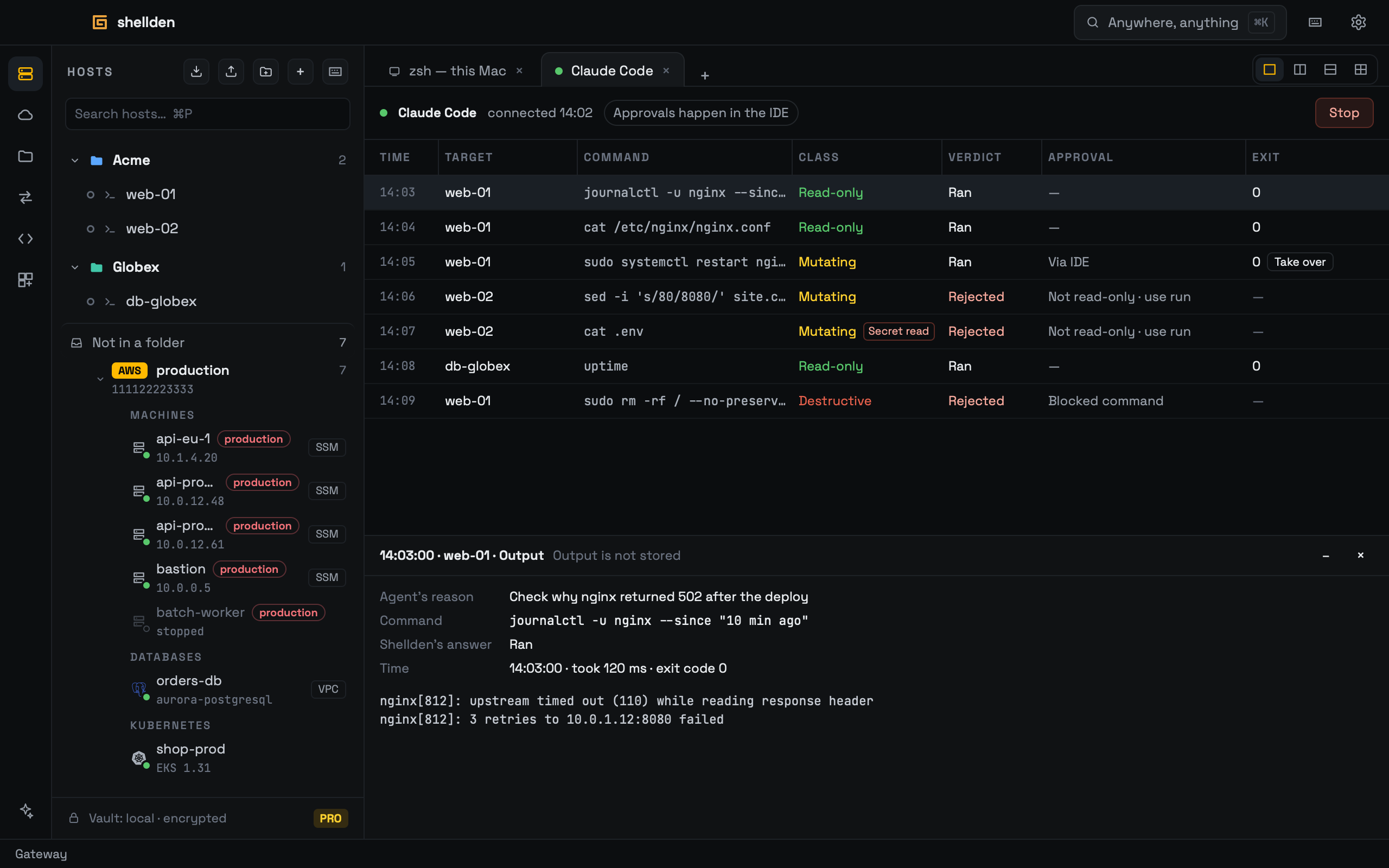
A click on a row shows the agent's reason, the whole command, Shellden's answer and the output. Output is kept in memory only, for the latest 50 requests. A secret read stays hidden until Show.